Flux Prompts That Work: A Practical Guide for 2026
Summary
Good Flux prompts describe a shot, not a keyword pile. Open with the image type and medium, then give subject, setting, light and framing. Drop quality tags like masterpiece, quote any text you want rendered, and replace every negative phrase with a description of what should be there. Draft at low resolution and change one variable at a time. This guide gives you a copy-ready template and the swaps that fix most failed Flux prompts.
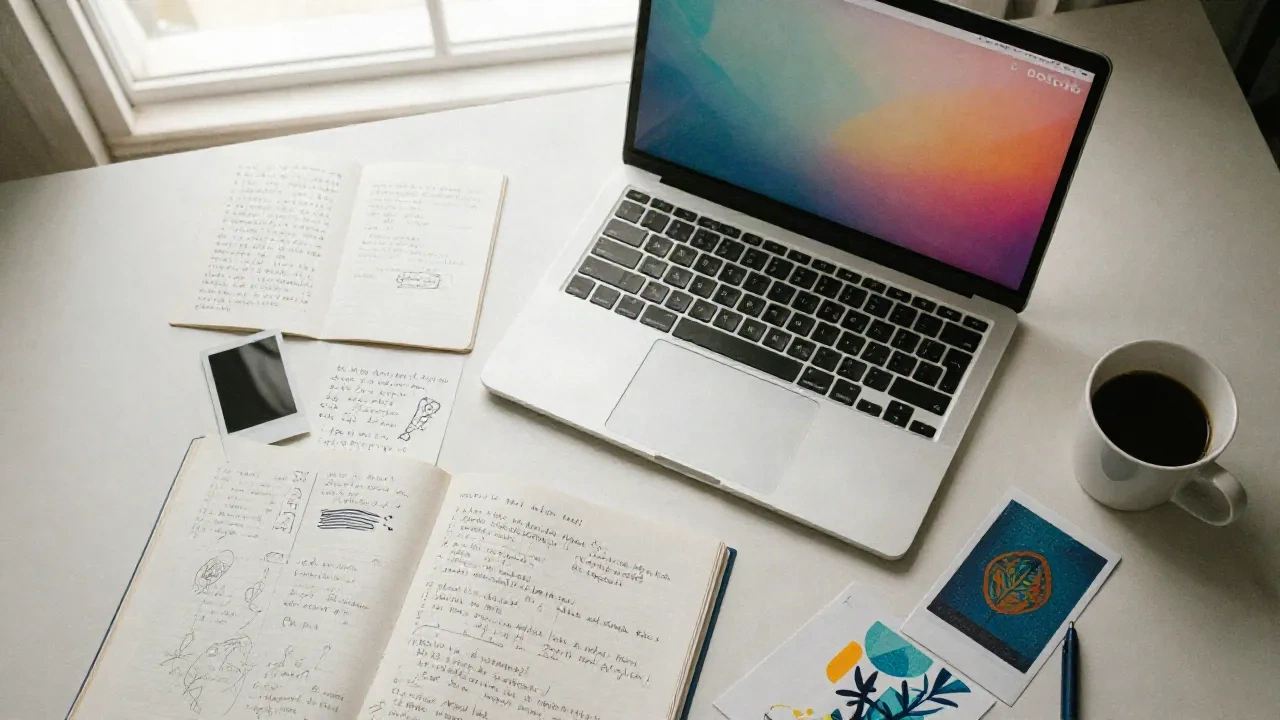
Good Flux prompts read like a shot description, not a keyword pile. Name the image type, the subject, the setting, the light and the framing, in that order. Skip quality tags, quote any text you want rendered, and swap every "no X" for a description of what should be there instead. Steal the template below, drop it into Flux, then change one variable at a time.
You spent forty minutes on a prompt and the output still looks like stock footage with a filter. Happens to everyone. Usually the prompt isn't too short. It's pointing at the wrong things.
The five-line skeleton behind every Flux prompt that works
Black Forest Labs documents a simple order in its Flux prompting guide: image type and medium, subject, setting, light, then framing and detail. That's it. Five jobs, one sentence each if you want.
Here it is as a copy-paste frame:
"[Image type and medium]. [Subject doing something specific]. [Setting and what surrounds it]. [Light: source, direction, quality]. [Framing: shot size, lens, depth of field]."
A filled-in version looks like this: "Full-color 35mm photograph with visible grain and a warm color cast. A woman in a rust-colored shirt browses a flea market stall, one hand on a vinyl sleeve. Crowded stalls behind her fade into blur. Harsh direct flash casts sharp shadows on the tarp. Eye-level, 35mm lens, shallow depth of field."
Steal this. The order is a habit, not a law. If the frame is the whole point (an ultra-wide road shot, a worm's-eye view), open with the framing and let the rest follow.
One more thing about length. A sentence is a fine start. Add detail only when you've seen what the model did with the sentence. Long prompts earn their keep when you have several subjects, a precise layout or text in the image. Otherwise they just give you more ways to be vague.
Why "masterpiece" and "ultra detailed" do nothing
If your prompt library still starts with "masterpiece, best quality, 8k, highly detailed", it's carrying habits from the Stable Diffusion 1.5 days. Flux is trained to follow descriptions, and the official guidance says to omit quality tags like "masterpiece" and to describe what a real camera would record instead.
So replace the incantation with evidence. "Visible grain." "Slight chromatic aberration at the edges." "Foreground in an atmospheric blur." "Sharp texture detail on the bark." Each of those tells the model something it can act on. "Ultrarealistic" tells it nothing it doesn't already assume.
If you really need a generic realism cue, one is enough. Two is a tic.
It's the single fastest cleanup you can do on an old prompt: delete every adjective that doesn't describe something visible. Run it again. The output gets calmer and usually better.
Name the light, then the lens and the era
Light is where most Flux prompts go flat. "Good lighting" is a wish. "Soft window light from the left" is an instruction.
Name four things: the source (window, flash, neon sign, candle), the direction (side, back, overhead), the quality (soft, harsh, diffused) and what it does to the scene (catches the fur, rakes across the floor, glows on wet pavement). That last part is the one people skip, and it's the one that makes the light feel physical.
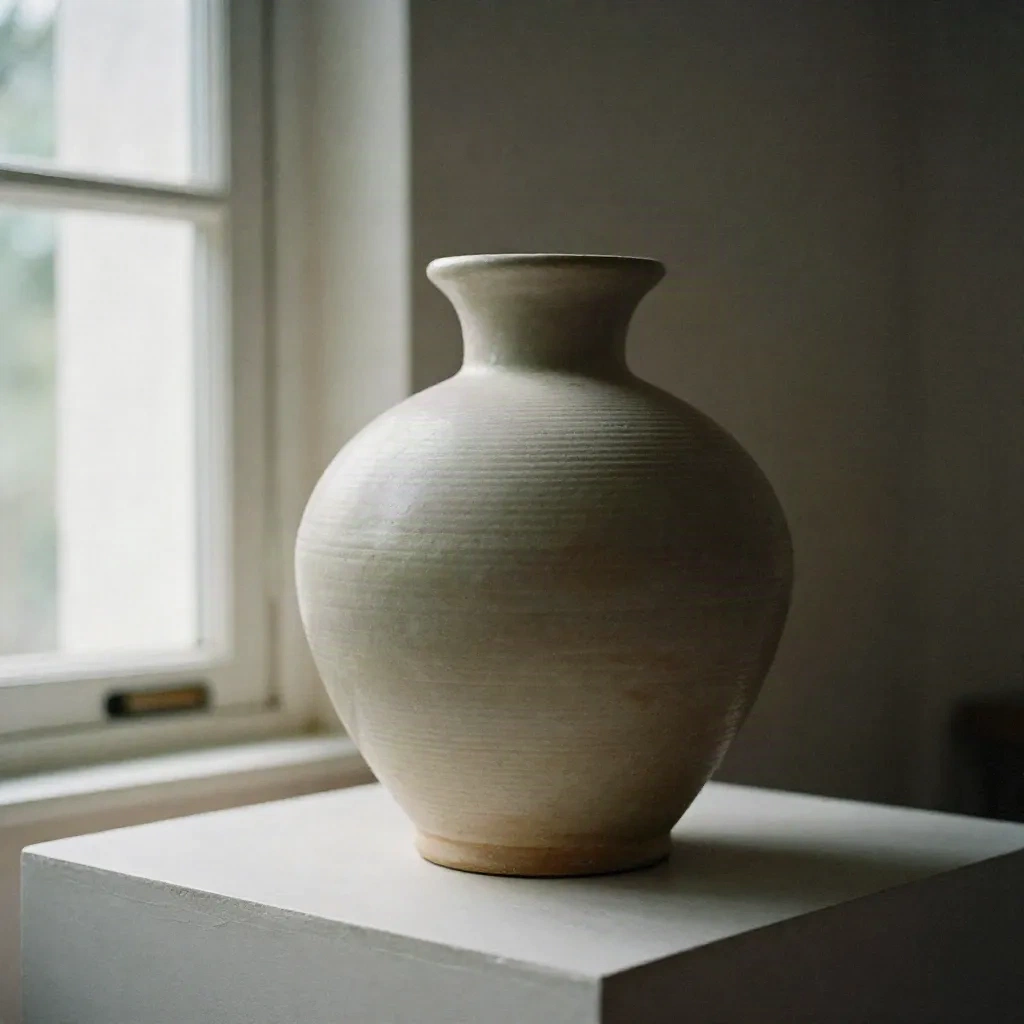
The vase above came from a prompt built on exactly that: window light from the left, 85mm lens, shallow depth of field, a muted beige and forest green palette. Change only the light line to "harsh overhead artificial light" and you get a completely different mood from the same object. That's the cheapest experiment in the whole workflow.
Short cues work too: golden hour, blue hour, overcast daylight, neon backlighting. Skip the portrait lighting jargon (Rembrandt, split) unless you know what you want from it. Do use it if you do.
Photographic realism in Flux mostly comes from naming a medium and an era, then saying what that look does to the picture. "Shot on Kodak Portra 400, natural grain, organic colors" lands very differently from "shot on Sony A7IV, clean sharp, high dynamic range." The BFL style guide groups these looks: modern digital, early 2000s digicam with flash, faded 80s vintage, analog film.
Be concrete. "Vintage" is a vibe. "The grainy texture of mid-20th-century color film" is a look.
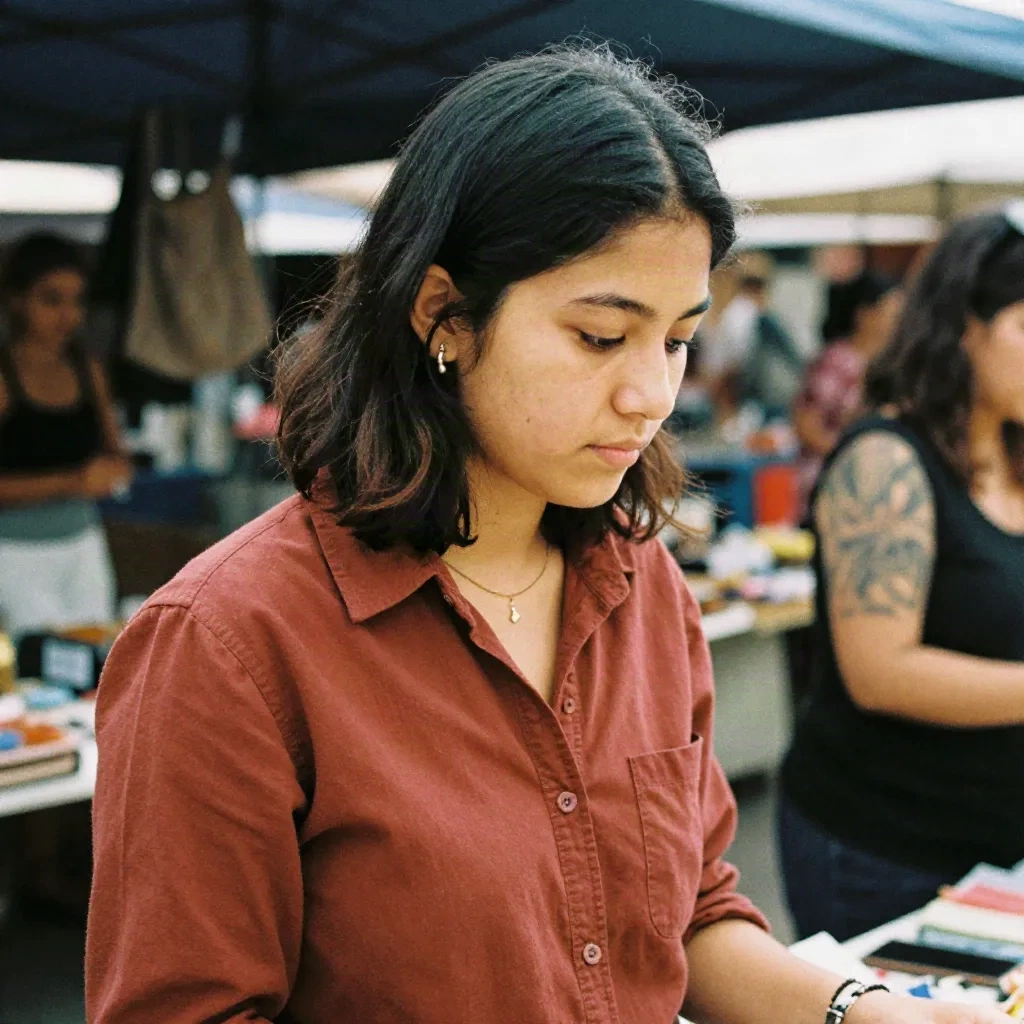
Camera names help when they carry a rendering signature: a Hasselblad medium format at f/2.8 behaves differently in your head than a phone snapshot, and Flux follows that. Don't stack five bodies and three lenses. Pick one setup, describe its fingerprints, move on.
For illustration and graphic work, the same rule holds. Name the medium and its physical qualities: a flat, screen-printed poster with a restricted four-color palette, thick black linework, a riso-style two-color overprint. "Cool illustration style" gets you the average of everything.
You can't tell Flux what not to draw
This one catches people coming from Midjourney or SD. The newest Flux release, FLUX 3 Image, has no negative prompt field. And writing "no crowds" inside the positive prompt tends to plant crowds in the frame, because the model reads the word "crowds".
The fix is a three-step habit. Spot the unwanted thing. Ask what would be there instead. Describe that.
Some swaps worth memorizing, straight from the BFL docs: "no people" becomes "empty", "deserted" or "solitary". "No text" becomes "clean surfaces" or "unmarked". "No background clutter" becomes "plain studio backdrop in one color". "Not dark" becomes "brightly lit" or "sun-drenched".
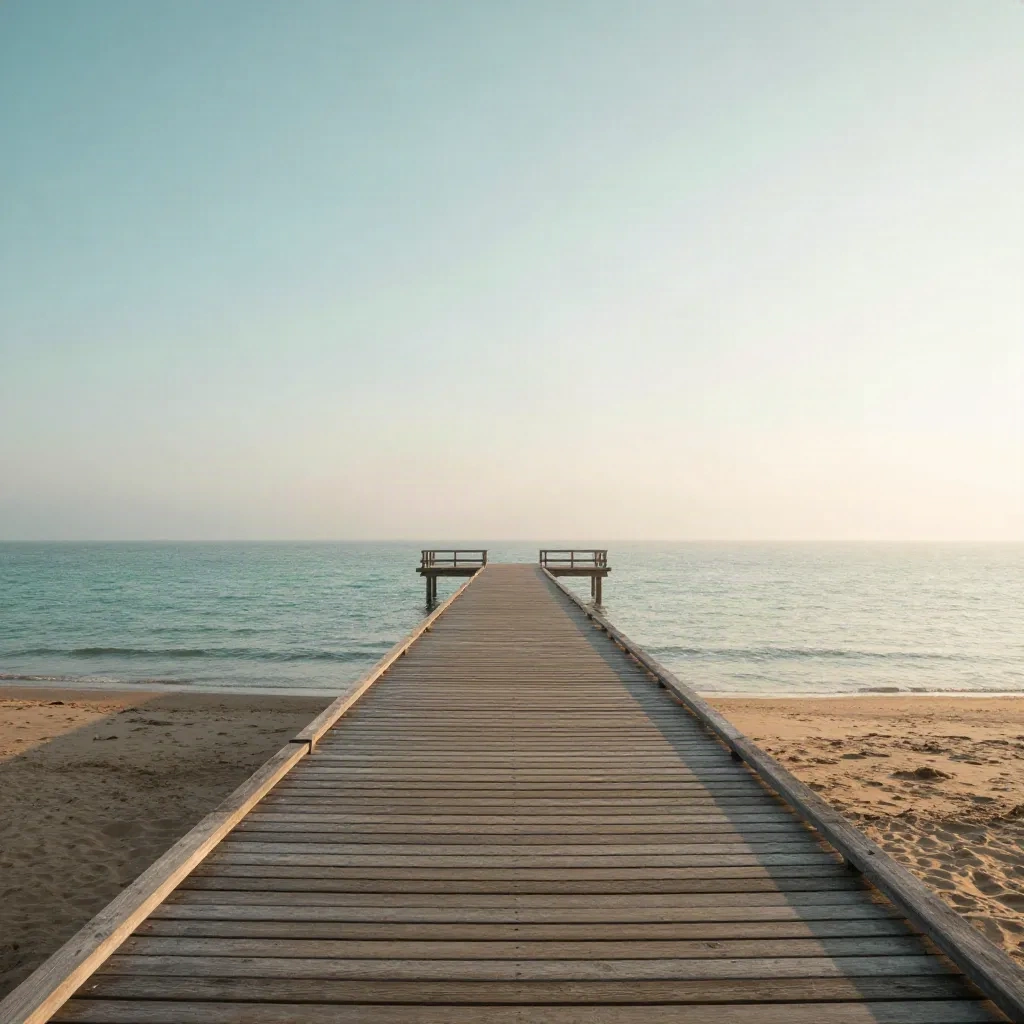
That promenade is "a deserted beach promenade at dawn, an empty wooden pier", not "a beach with no people". Same intent, opposite result in practice.
If the unwanted element keeps coming back, put the replacement early in the sentence that sets the scene, not in a trailing clause. Then give it context so it belongs there: "a deserted beach at dawn, before the first swimmers arrive." Specific beats clever.
Text in the image: quote it, place it, describe the type
Flux is one of the few models where you can reasonably ask for legible type. Do it properly, though. Put the exact words in quotation marks with the capitalization you want. Say where the text sits in the frame. Describe the type: weight, case, color, texture.
"A paper poster on the wall that reads "OPEN LATE" in thick white sans-serif capitals" does the job. "A poster that says open late" leaves three decisions to chance.
For longer runs, split the text into blocks and treat each one as its own element with its own location. Mark line breaks explicitly. And proofread every quoted string in the output before you ship it, especially the small print. Models still fumble tiny type.
One caution for anyone localizing work: if the image will be reused across languages, keep the text out of the render and add it in your layout tool. A baked-in headline can't be translated.
Frame, resolution and reference images
Treat the frame as part of the prompt. FLUX 3 Image takes its aspect ratio from a fixed list of 15, from 21:9 down to 9:21, plus auto. Left on auto with no reference image, you get a square, which is rarely what a banner, a poster or a story needs.
Match the ratio to the sentence. If you pick 21:9, tell the prompt there is width to fill: cliffs on one side, sea on the other. If you pick 9:16, give it height: a tower, a waterfall, a figure from boots to hat.
For resolution, the technical parameters page lists 768sq for fast drafts, 1k as the default, then 2k and 4k. The workflow that saves money: iterate at low resolution until the composition is right, then regenerate at 2k or higher. Heads up, changing resolution makes a new generation, so the composition can shift. Don't fall in love with a draft you can't reproduce.
On cost, BFL's launch pricing for FLUX 3 Image runs from roughly two cents to thirty cents per image depending on resolution. Cheap enough that drafting at the small size is a habit worth having, not a penny-pinching move.
When you can't put a look into words, don't. Send it a picture. FLUX 3 Image takes up to ten reference images, and you point to them by position in the prompt: image 1 is the subject, image 2 is the style. "Turn image 1 in the style of image 2" is a complete prompt, and it works better than three lines trying to describe a watercolor texture.
This is where the Are.na habit pays off. Keep a board of references you actually trust, riso scans, Kodachrome slides, brutalist concrete, and feed them in as style anchors instead of describing them from memory. It's moodboard discipline, not magic.
Exact color is another place words fail. In edits, a hex code tied to one named object ("change the color of only one bird in the middle to #e01075") gives you a specific swatch. Tie each code to one thing, otherwise the model has to guess where the color goes.
Flux versus the rest: when to reach for something else
Flux isn't the answer to everything. It's built for control and pipelines more than for a polished chat interface, and that shows in how you work with it.
Midjourney still has the more opinionated house look, which is a feature when you want taste handed to you and a limit when you want to steer. Nano Banana is the quick conversational editor when you'd rather talk an image into shape. Stable Diffusion, especially with local weights, is where you go for full control over the pipeline and no per-image bill.
Flux sits in the middle: literal prompt-following, solid text, reference-driven style. Pick it when the brief is specific and you can write it down. Pick something else when you want the model to surprise you.
Also check which Flux you're on. The official guide is written for FLUX 3 Image, while FLUX.2 and Kontext have their own tips in the model reference. A prompt tuned for one is not guaranteed to behave on another, so re-test before you assume.
What we'd actually keep in a Flux prompt library
If you're building your own library, here's what's worth saving and what isn't.
Keep the skeleton, not the finished prompts. A finished prompt is a souvenir. A skeleton with swappable light, lens and palette lines is a tool.
Keep your swaps. Every time you replace a negative phrase with a positive one, write the pair down. After a month you'll have a personal dictionary that no public prompt site can give you.
Keep a "what failed" file. Prompts that broke in an interesting way teach more than ones that worked first try.
Skip anything with a quality-tag header, anything that stacks four art movements, and anything copied from a Reddit thread without a test run. Curation beats volume. Always.
Take the worst prompt in your library. Strip every adjective that isn't visible. Rewrite it into the five-line skeleton. Replace each "no X" with the thing that should be there. Generate a draft at the smallest resolution, change only the light line, and compare the two.
Then do it again with the lens. Ten minutes, two variables, and you'll know more about how Flux reads you than any prompt dump could tell you. Copy the prompt, drop it into Flux, and see.